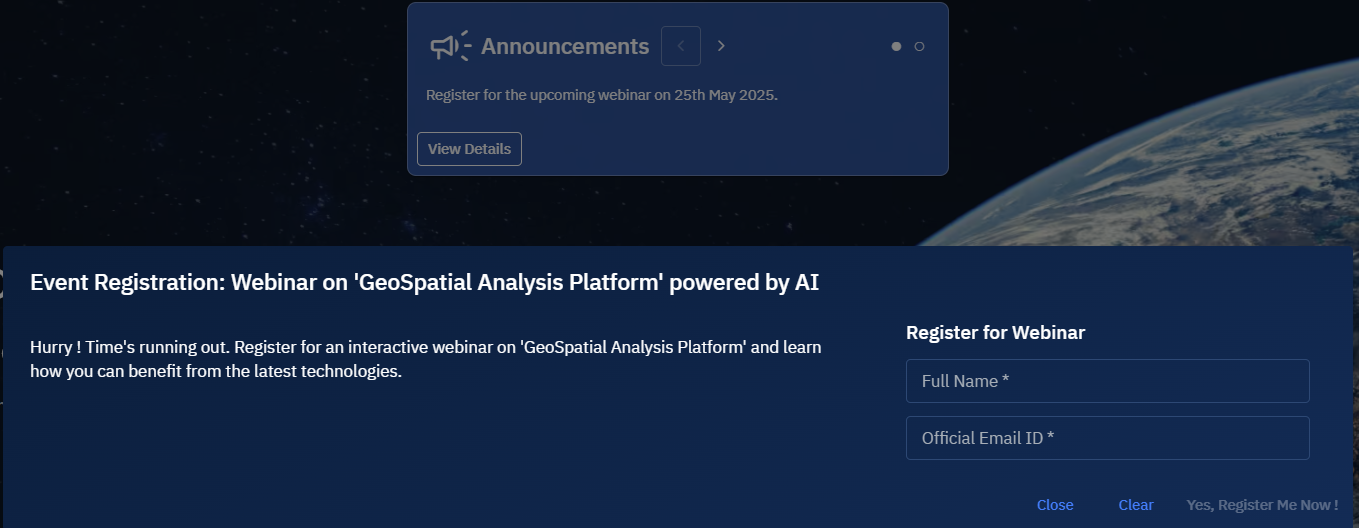
Creating Annoucements
The platform enables you to create two types of announcements:
- Announcements: Create announcements to display critical or important messages to all your users when they access the platform login page.
- Event Registration Forms: Build custom forms for user registration to events, webinars, training sessions, or other activities.
Creating an announcement
This feature allows you to display important messages to all users when they access the login page.
You can create time-limited announcements for system updates, maintenance windows, or important notices. All users will see these messages before logging in.
To create an announcements, do the following:
-
Login to the platform.
-
Click the System Panel module and then click the Announcements.
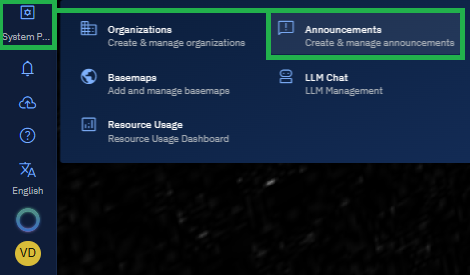
The Announcements sub-module page is displayed.
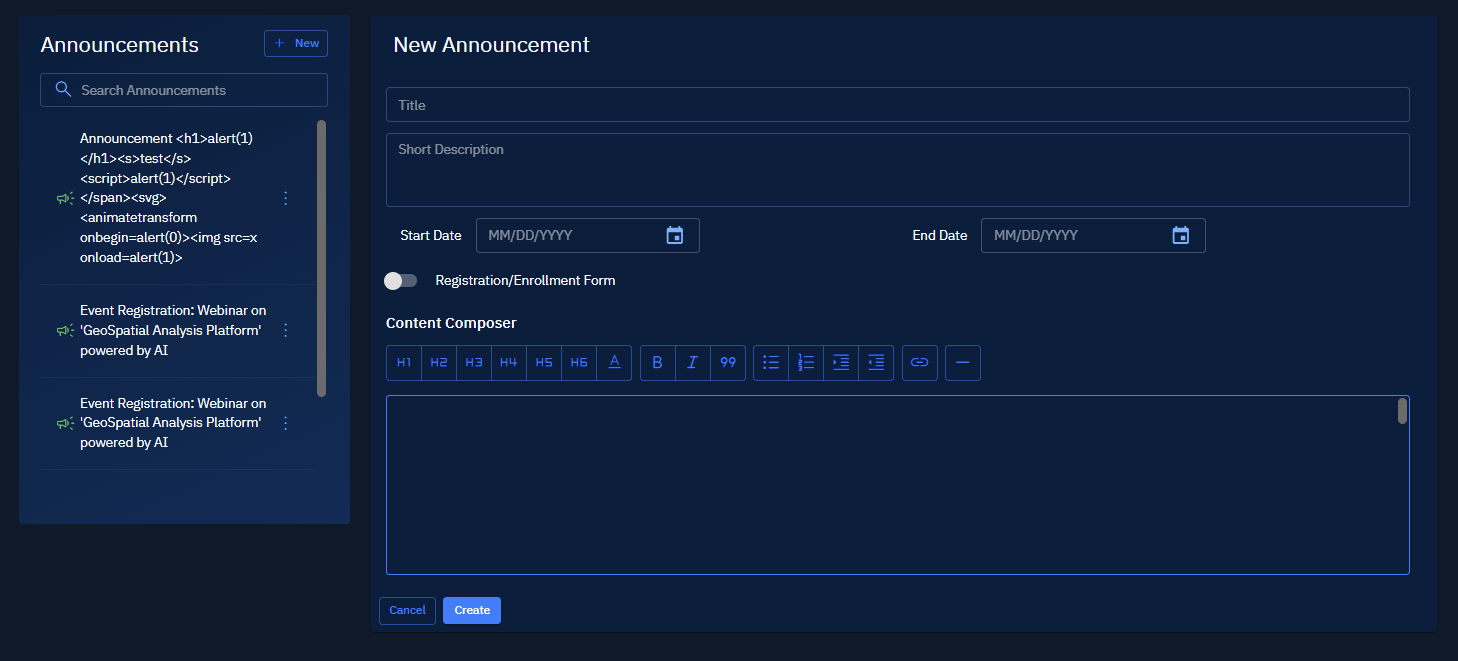
-
In the New Announcements section, type or select the following information:
Field Name Action Example Title Type informative headline for the announcements Scheduled Maintenance Short Description Type short description about the announcements Heads-up: Scheduled Maintenance for SaaS platform. Date Range Select the start and end dates for when users should see this message on the login screen. 5 April to 10 April Content Composer Type more information about the announcements Users in the following modules will be affected: Platform, Security, User Management 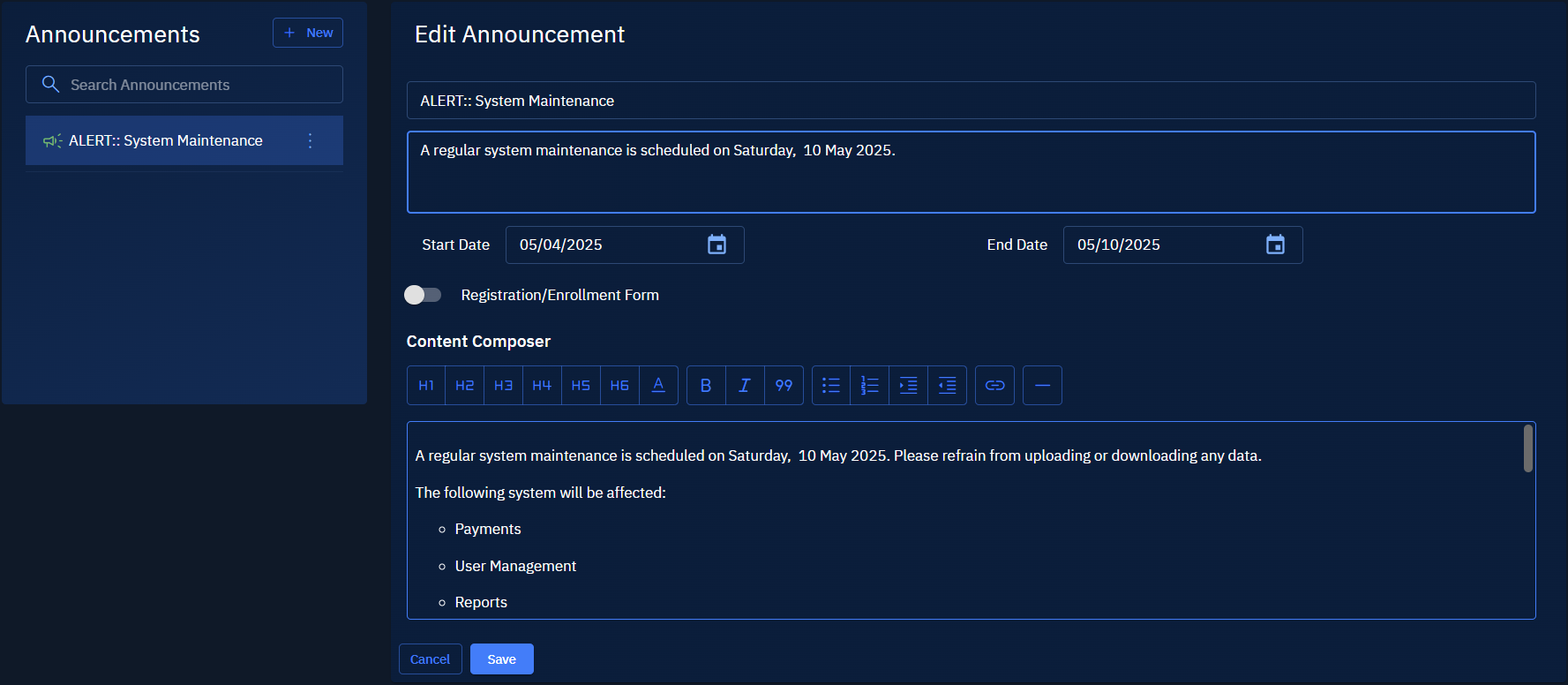
-
Click the Save button.
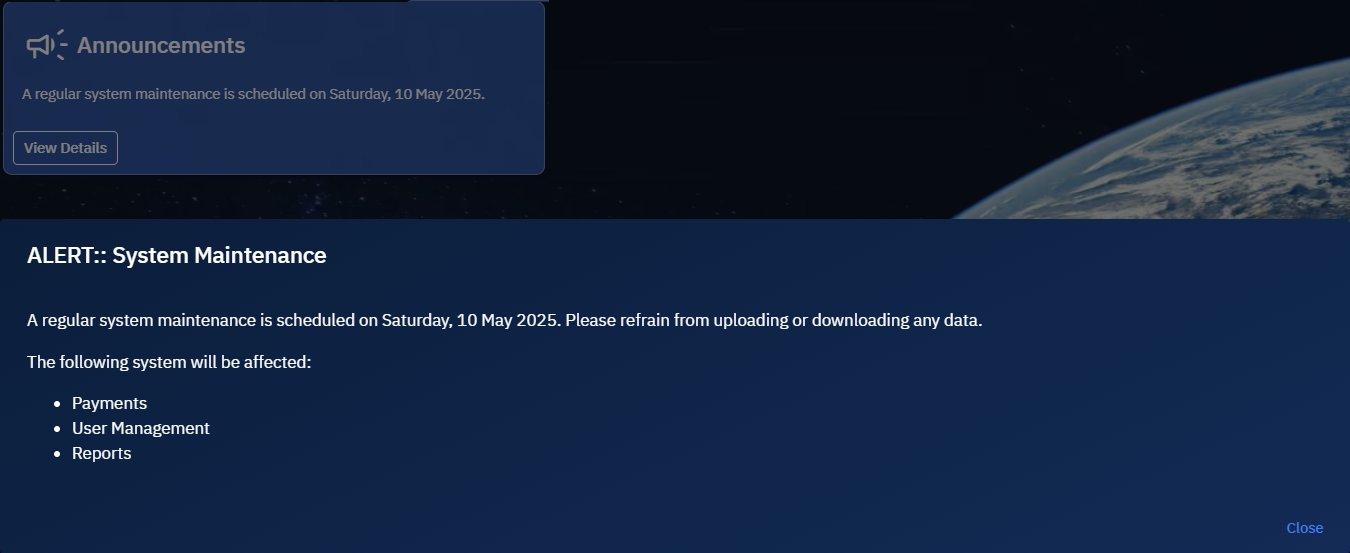
The announcement is successfully created and displayed on the login screen.
Creating an event registration form
This functionality enables you to build custom forms for user registration to events, webinars, training sessions, or other activities.
You can compose content, build a form to customize fields, and set up email response to users who register for the event thus enabling you to collect structured information from the users.
To create an event registration form, do the following:
-
Login to the platform.
-
Click the System Panel module and then click the Announcements.
The Announcements sub-module page is displayed.
-
On the New Announcement page, type or select the following information:
Field Name Action Example Title Type informative headline for the event Event Registration: Webinar on 'GeoSpatial Analysis Platform' powered by AI Short Description Type short description about the event Register for the upcoming webinar on 25th May 2025. Date Range Select the start and end dates for when users should see this message on the login screen. 5 August to 9 August April Registration/Enrollment Form Toggle this button to enable the form for user sign-ups or onboarding. This enables the Content Composer, Form Builder, and Response Email tabs. - Content Composer Type more information about the event Hurry ! Time's running out. Register for an interactive webinar on 'GeoSpatial Analysis Platform' and learn how you can benefit from the latest technologies. Form Builder Type the title of the form and title for the Submission or Call to Action button (CTA) button.
Click Text Input, Dropdown, and/or Email input buttons to collect user information for the event.- Response Email Type the email subject of the email that users will receive upon registering for the event.
Type the email message.Thank you for registering for the webinar. 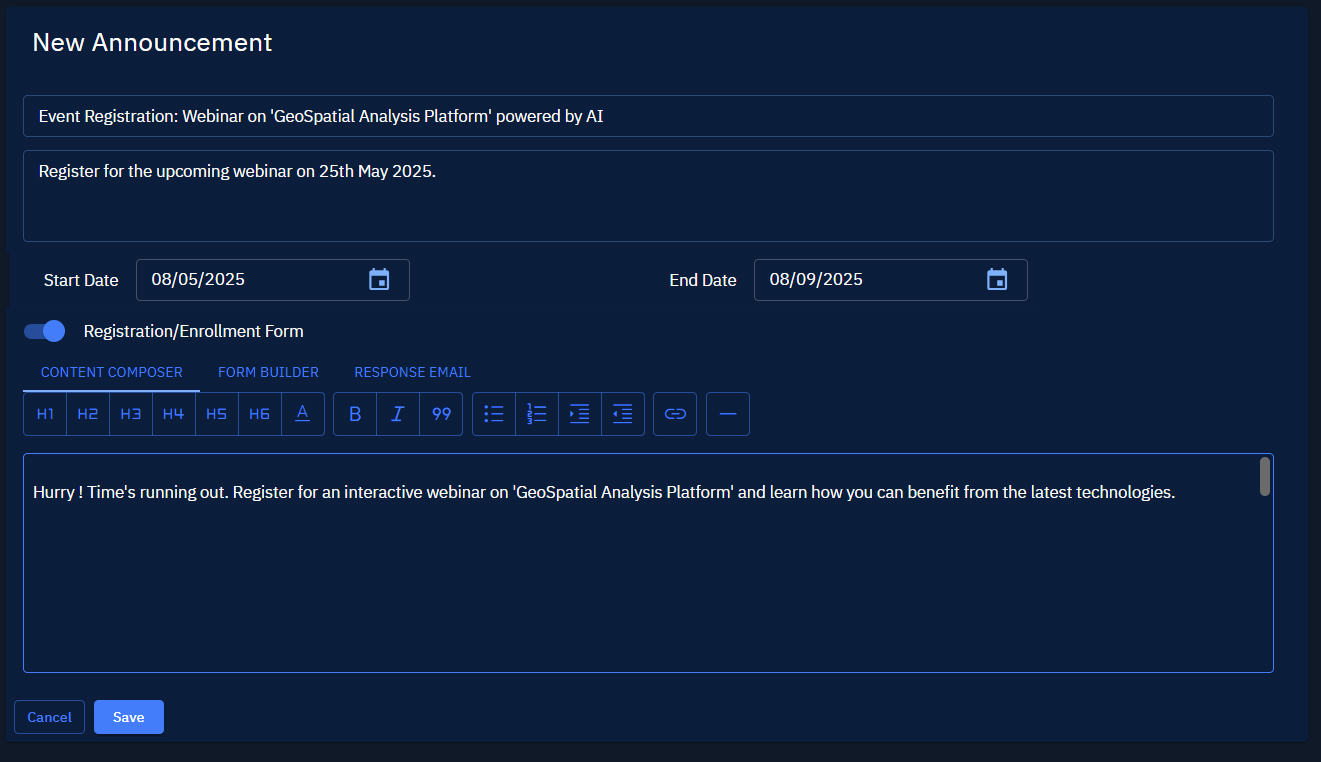
-
Click the Save button.
The event announcements is successfully created and displayed on the login screen.